
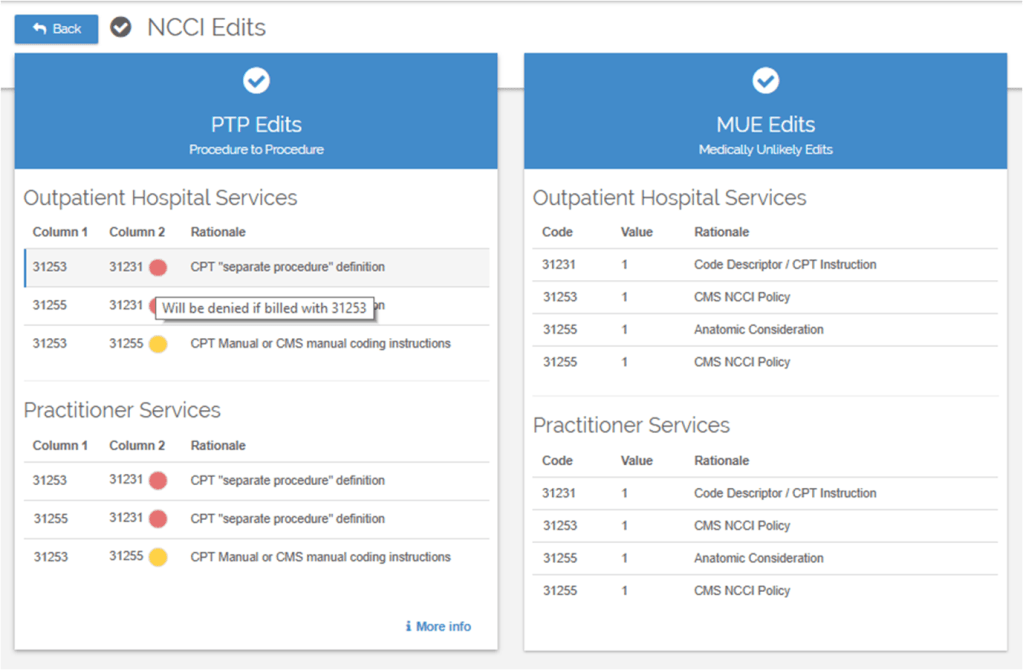
Swiftaudit provides a quick check for NCCI edits, including Procedure to Procedure (PTP) and Medically Unlikely Edits (MUE) . Our hover tips provide Column 2 warnings and restrictions, and the More Info link will show you detailed Bypass Modifier information.
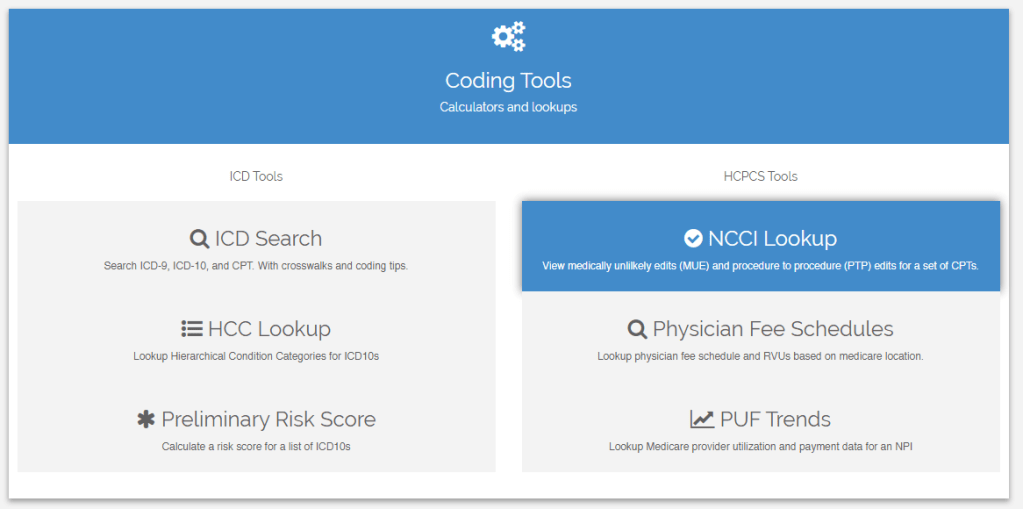
Swiftaudit offers two easy ways to get to NCCI edits. To access the quick calculator screen, simply select NCCI Calculator from the main dropdown menu. Enter your list of CPTs and the Date of Service and we’ll provide all NCCI edit results.
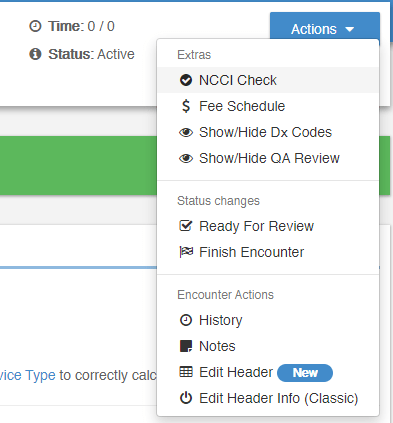
You can also access NCCI edits from within your Patient Encounter. Just click NCCI Check from the Actions drop down menu in your Encounter header and we’ll automatically calculate all the NCCI edits.
 Assistant